

Review and edit Promptless PRs
Overview
Section titled “Overview”Promptless opens a docs PR for a suggestion when you publish it, or when a publishing policy opens one automatically. A docs PR is a GitHub pull request or a GitLab merge request in your documentation repository. Review the suggestion in the Promptless dashboard to check its evidence and rendered changes. Then steer the docs PR with comments and reviews, the same way you review code. Promptless fixes quality issues in its docs PRs, such as linter failures, Vale warnings, and broken links, so your feedback can focus on the content.
Review in the dashboard
Section titled “Review in the dashboard”Every PR that Promptless opens links to its suggestion in the dashboard, at the top of the PR description. The suggestion holds what you need to judge a change before you merge it. Suggestions that don’t have a PR yet open from the review queue.
- Evidence: Citations tie each change to the files, PRs, and commits Promptless relied on. The research breakdown lists everything Promptless read before drafting, such as source files and Slack threads.
- History: A timeline records each commit to the suggestion’s branch with its author, time, and changed files. It shows what Promptless and your teammates changed, and when.
- Collaboration: Assignees, labels, and overall comments let your team coordinate on the suggestion.
From the suggestion, you can edit the changes yourself, ask Promptless for changes, publish the suggestion as a PR or MR, or close it.
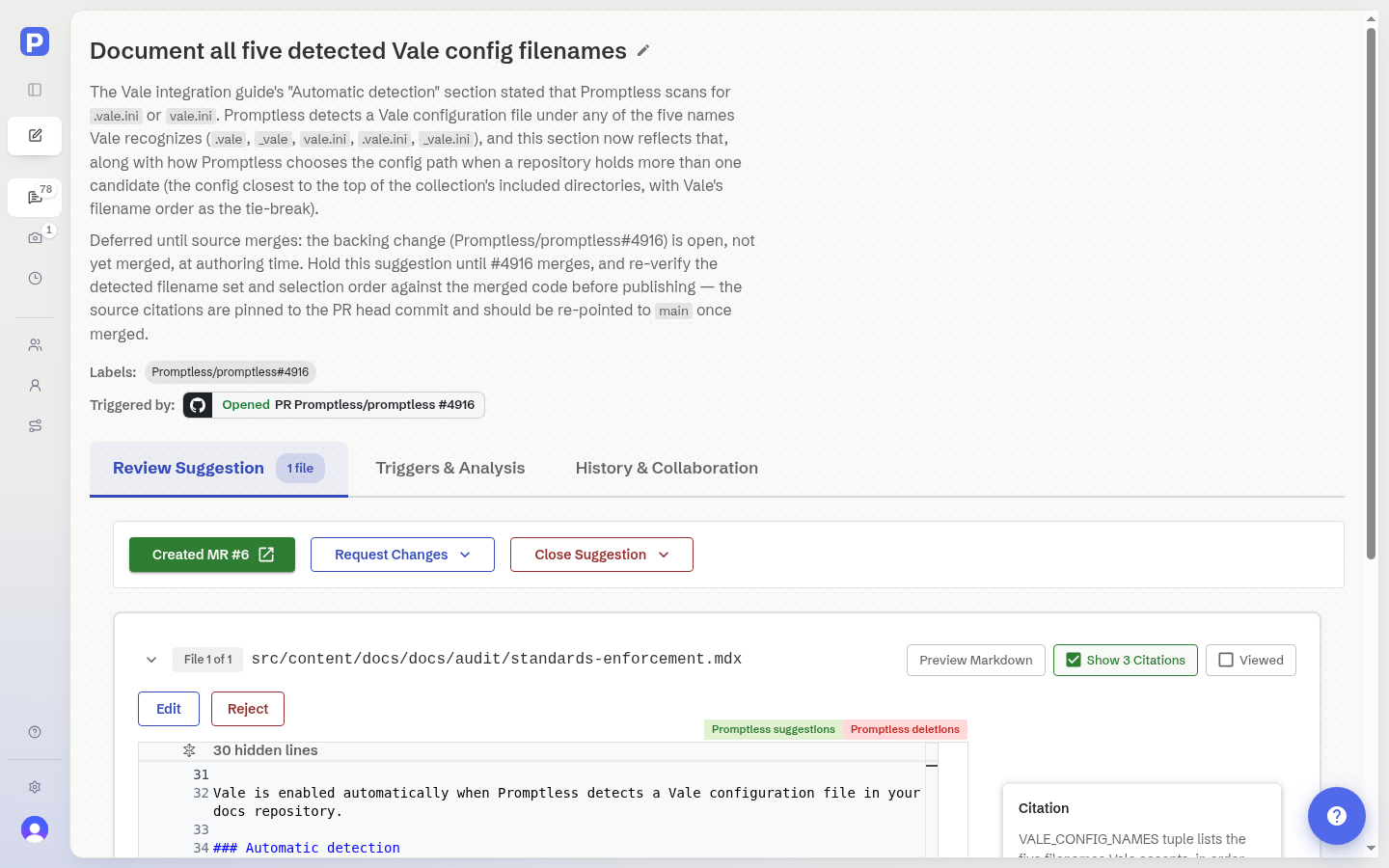
Check how changes render
Section titled “Check how changes render”Review a change as readers see it, not only as a diff. Markdown and MDX files render with added and removed content highlighted, so you can check headings, lists, tables, and code blocks in context.
Changed images appear as before-and-after versions side by side. SVG files render as images, and their markup diff is also available. You can reject a single image change to restore its previous version while keeping the rest of the suggestion. Image previews cover PNG, JPEG, GIF, BMP, WebP, AVIF, and SVG files.
Rename a suggestion
Section titled “Rename a suggestion”When you rename a suggestion that has an open or draft PR on GitHub, Promptless renames the PR to match. The new title takes effect only after GitHub accepts it, so the suggestion and the PR keep the same title. Renaming the PR on GitHub updates the suggestion the next time you open it. Renaming changes only the title, not the branch or its commits.
Check sources on the docs PR
Section titled “Check sources on the docs PR”Promptless posts one comment on the docs PR for each changed file. On GitLab, the comment is a discussion. Under a Sources heading, the comment links each source Promptless used and states the claim that source supports.
- Promptless updates the comment when the suggestion changes.
- Promptless resolves the comment after it posts it. Repositories that require resolved threads can still merge.
- Promptless leaves a comment alone after you reply to it or reopen it.
- This behavior is always on. There is no setting.
Open PRs for several suggestions at once
Section titled “Open PRs for several suggestions at once”When several suggestions are ready to publish, select them in the suggestions list and open their PRs in one batch. You can select suggestions one at a time, as a range, or as everything that matches your current filters. Promptless skips suggestions that are closed, have no changed files, or already have an open or draft PR. Before it starts, it confirms how many PRs it opens. You can retry any PR that fails to open.
Tag Promptless in a comment
Section titled “Tag Promptless in a comment”To have Promptless act on a comment or review, mention @promptless (or @promptless-for-oss) anywhere in it, or start a line with /promptless. Both forms work on GitHub pull requests and GitLab merge requests, whatever your organization’s comment setting. A mention from an automated account, such as a continuous integration (CI) or service account, counts the same as one from a teammate.
Talk to Promptless without a mention
Section titled “Talk to Promptless without a mention”Whether comments need a mention depends on the PR and MR Comment Trigger Mode setting in Settings → Organization. Changing it requires the Admin role.
- Listen to all comments (default for new organizations): Promptless acts on comments from people on its docs PRs. It also acts on comments on any other open PR or MR it commented on or reviewed.
- Require a mention (default for existing organizations): Comments need a mention, except replies in a review thread or discussion where Promptless already commented.
Promptless skips comments meant only for someone else, and may skip comments from automated accounts unless they mention it. To keep Promptless from acting on a comment, start it with aside or /aside.
Give feedback on the docs PR
Section titled “Give feedback on the docs PR”Leave feedback on the docs PR in GitHub or GitLab. Promptless reads all previous comments on the PR to understand the context. An instruction can be as short as “Same here” or “Apply this change to the other section too.”
Comment on a line
Section titled “Comment on a line”Leave a comment on a specific line or section of the docs PR for targeted feedback.
- With Listen to all comments selected, leave the comment. Promptless processes it automatically.
- With Require a mention selected, tag
@promptlessin the comment. The mention doesn’t appear in autocomplete, but Promptless still sees it.
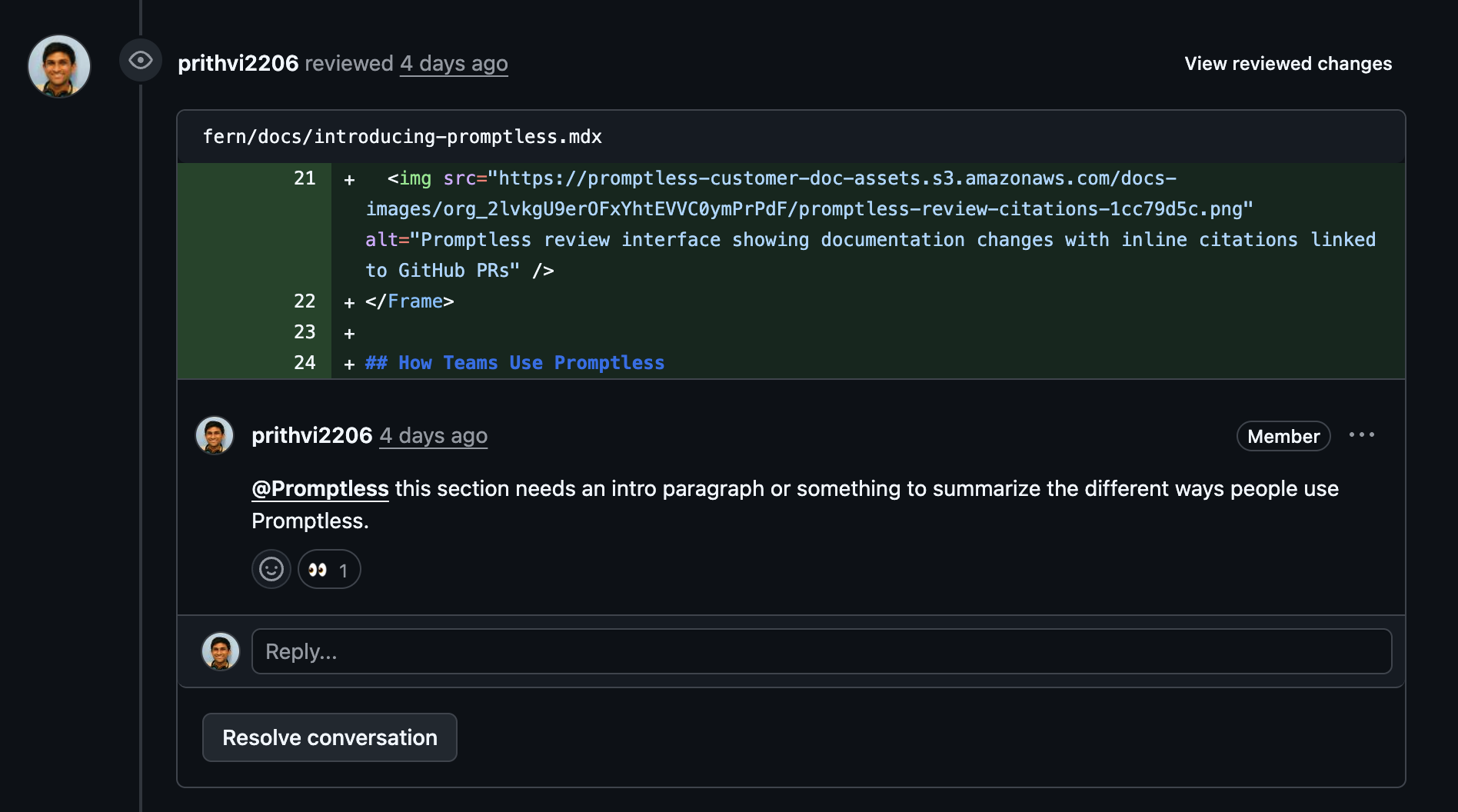
Submit a review
Section titled “Submit a review”To give several pieces of feedback at once on GitHub, submit a pull request review. Promptless handles all of the review’s comments together after you submit it.
- With Listen to all comments selected, submit the review. Promptless processes it automatically.
- With Require a mention selected, tag
@promptlessin the review summary.
Examples of feedback
Section titled “Examples of feedback”Comments like these work on a docs PR, and in the dashboard:
| Kind of change | Example comment |
|---|---|
| Content update | Please add a section about error handling for this API endpoint |
| Content update | Add a note that this feature requires admin permissions |
| Structural change | Move this section to the beginning of the page for better flow |
| Structural change | Split this into two separate sections: "Basic Usage" and "Advanced Configuration" |
| Technical correction | The API endpoint should be /v2/users, not /v1/users |
| Technical correction | Include the response status codes for each endpoint |
| Style and formatting | Format this as a code block instead of inline code |
| Style and formatting | Use a callout box to highlight this important warning |
To have Promptless apply a rule to every future suggestion, phrase it as a standing rule. For example: “Always include the response status codes for each endpoint.” See Teach conventions with feedback.
See also
Section titled “See also”- Give feedback on a suggestion, for requesting changes, commenting, and closing suggestions in the dashboard
- GitHub PRs, to request documentation from comments on source code PRs
- GitLab merge requests, for how Promptless works with merge requests
- Route and assign suggestions to the right people, for who gets assigned a docs PR and how to triage the review queue
- Get support, for help with PR and MR interactions